CompatibilityCheck the platform first
 Home
Digital deliveryGuided selectionUSD checkout path
Microsoft · Windows
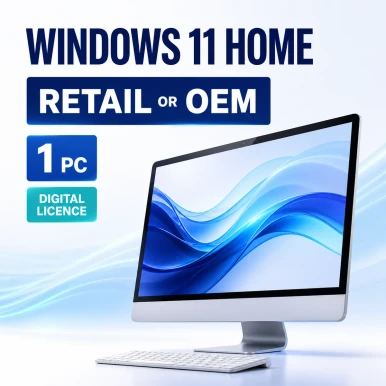
Microsoft Windows 11 Home License – Retail or OEM
Choose flexible Retail or device-bound OEM licensing for one PC.
Windows PC Retail or OEM Electronic delivery
Price & optionsView current USD pricingChoose the exact edition and quantity on Software Mart Australia.
Choose options & buy Exact options at source Secure source checkout
License modelCompare rights, not just names
Final selectionConfirm options on the source store
Product overview
Choose flexible Retail or device-bound OEM licensing for one PC.
Windows 11 Home for a compatible personal computer, with a choice between Retail and OEM/System Builder license types on the original product page.
What this product helps you do
- Modern Windows 11 experience
A defining capability for buyers evaluating Windows 11.
- Security and productivity features
Useful when a dependable desktop foundation for secure, productive work is the priority.
- Retail or OEM selection
Compare this capability with adjacent editions before deciding.
- One compatible PC
Plan the deployment around the listed retail or oem rights.
Reasons to consider it
Why Microsoft Windows 11 Home License – Retail or OEM may earn a place on your shortlist.
The strongest reason to purchase is a verified fit between the product, the environment and the license rights—not the product name alone.
Modern Windows 11 experience
Modern Windows 11 experience is presented in the context of Microsoft Windows 11 Home License – Retail or OEM, helping buyers connect the feature to the work it supports.
Choose rights that fit the intended device
Typically assigned to one qualifying device; verify the source license terms. That distinction helps avoid paying for an edition or license model that does not match the real requirement.
Reduce preventable purchase risk
Windows 11 Home requires compatible hardware, internet connectivity and a Microsoft account for initial setup. The key checks stay visible before the purchase handoff.
See the exact source option before checkout
The purchase path opens the corresponding original-store listing so buyers can verify live USD pricing, quantity, availability and fulfillment terms.
System requirements
Confirm the environment before you order.
These planning requirements cover the essential compatibility questions for Microsoft Windows 11 Home License – Retail or OEM. The publisher documentation and exact source listing remain authoritative.
Processor
Compatible 64-bit processor or SoC, 1 GHz or faster, with two or more cores.
Memory
At least 4 GB RAM; more is recommended for professional multitasking.
Storage
At least 64 GB storage, plus working space for updates, applications and user data.
Firmware & security
UEFI, Secure Boot capability and TPM 2.0 are required for standard Windows 11 compatibility.
Display & connectivity
HD display larger than 9 inches, DirectX 12-compatible graphics and internet access for setup or updates where required.
License prerequisite
Windows 11 Home requires compatible hardware, internet connectivity and a Microsoft account for initial setup.
Procurement check: Record the device or server model, operating-system version, architecture, existing license, user or device count, and intended workload before opening the purchase page.
Technical specifications
Key facts for planning and procurement.
Use this table to prepare the purchase decision. The linked source listing and publisher terms remain authoritative for exact rights and requirements.
| Product family | Windows |
|---|---|
| Release or edition | Windows 11 |
| Intended platform | Windows PC |
| License model | Retail or OEM |
| License scope | Typically assigned to one qualifying device; verify the source license terms |
| Deployment context | Windows PC installation or deployment according to the selected source option |
| Delivery method | Electronic delivery |
| Lifecycle consideration | 2021 release; review publisher lifecycle and support status for the intended deployment |
| Seller and fulfillment | Software Mart Australia |
| Pre-purchase requirement | Windows 11 Home requires compatible hardware, internet connectivity and a Microsoft account for initial setup. |
| Core system requirement | Compatible 64-bit processor or SoC, 1 GHz or faster, with two or more cores. |
| Account or activation | Confirm the exact activation and account process on the source listing. |
Related releases and editions
Compare Microsoft Windows 11 Home License – Retail or OEM with the closest alternatives.
The closest editions and previous or later releases are prioritized so the trade-offs are easier to see.
| Product | Release / edition | Platform | License | Scope and deployment | Lifecycle / why compare |
|---|---|---|---|---|---|
| Microsoft Windows 11 Home License – Retail or OEMCurrent page | Windows 11 | Windows PC | Retail or OEM | Typically assigned to one qualifying device; verify the source license terms. Windows PC installation or deployment according to the selected source option. | 2021 release; review publisher lifecycle and support status for the intended deployment |
| Microsoft Windows 11 Pro OEM License – 1 PC | Windows 11 | Windows PC | OEM · 1 PC | Typically assigned to one qualifying device; verify the source license terms. Windows PC installation or deployment according to the selected source option. | 2021 release; review publisher lifecycle and support status for the intended deployment |
| Microsoft Windows 11 Pro Retail License – 1 PC | Windows 11 | Windows PC | Retail · 1 PC | Retail assignment for the selected device count; verify transfer terms at the source. Windows PC installation or deployment according to the selected source option. | 2021 release; review publisher lifecycle and support status for the intended deployment |
| Microsoft Windows 10 Home – Full Edition for 32-bit & 64-bit PCsEarlier release | Windows 10 | Windows PC | Digital license | Confirm the permitted user, device or installation count at the source. Windows PC installation or deployment according to the selected source option. | 2015 release; review publisher lifecycle and support status for the intended deployment |
| Microsoft Windows 8.1 Home License – 32-bit or 64-bitEarlier release | Windows 8.1 | Windows PC | Digital license | Confirm the permitted user, device or installation count at the source. Windows PC installation or deployment according to the selected source option. | 2013 release; review publisher lifecycle and support status for the intended deployment |
Why shop through this catalog
More context than a conventional product tile.
Software Mart USA is designed around the buying decision—not only the buy button. Each page connects product capability with license scope, compatibility, lifecycle, related versions and the exact source checkout path.
How the catalog worksSide-by-side clarity
Compare current, related and earlier releases without losing sight of platform or license differences.
U.S. buying context
See U.S.-focused guidance and continue to the source page configured for current USD options where supported.
Visible source and seller
Checkout, payment, fulfillment and controlling terms are clearly attributed to Software Mart Australia.
Compatibility before conversion
System requirements and risk notes are intentionally placed before the final purchase handoff.
After-sales support
Complimentary help when setup needs a human touch.
Keep your order number, product name and exact error message ready. Order-linked assistance is coordinated through Software Mart Australia, which controls fulfillment and activation records.
Email assistance
Complimentary guidance for delivery, installation and activation questions tied to your order.
Chat assistance
Use the source store’s available chat channel for concise product or order questions during staffed hours.
Remote assistance
A consent-based remote session may be arranged for eligible setup issues when the support team confirms it is suitable.
Privacy-minded support
Never send passwords, full payment details or a complete product key through an unsecured channel.
Remote access is not automatic, is limited to eligible installation or activation assistance, and may require identity, order and device checks. It does not replace managed IT, data recovery or third-party hardware support.
Purchase flow
From product choice to activation.
Confirm the fit
Review the edition, platform, device count and license channel.
Select on the source store
Choose the exact product option and verify live USD pricing.
Complete checkout
Payment and order verification happen with Software Mart Australia.
Follow delivery guidance
Use the supplied download, installation and activation instructions.
Comprehensive product FAQ
Answers before you commit.
Review the most important compatibility, licensing, delivery and purchase questions for Microsoft Windows 11 Home License – Retail or OEM.
Ask a different questionWhat is Microsoft Windows 11 Home License – Retail or OEM?+
Microsoft Windows 11 Home License – Retail or OEM is a Windows selection for home users, professionals and managed business devices. Windows 11 Home for a compatible personal computer, with a choice between Retail and OEM/System Builder license types on the original product page.
Who is Microsoft Windows 11 Home License – Retail or OEM best suited to?+
It is most relevant to home users, professionals and managed business devices. The best fit still depends on platform, edition, license scope and the environment described on the source listing.
What should I check before purchasing?+
Windows 11 Home requires compatible hardware, internet connectivity and a Microsoft account for initial setup. Also confirm the exact option, quantity, currency and fulfillment terms shown on Software Mart Australia.
How is the license assigned?+
Typically assigned to one qualifying device; verify the source license terms. The source product page and publisher terms control the license rights.
Does this include the server or operating system software?+
This page describes the named software product. Any prerequisite operating system, server software, subscription or access license must be confirmed separately.
Can I install or use it on more than one device?+
Only when the selected source option and publisher terms cover that number of users, devices or installations. The catalog lists the license model as Retail or OEM.
How and when is it delivered?+
Electronic delivery is indicated for this catalog entry. Order verification, timing, download information and any activation details are provided by Software Mart Australia after purchase.
Where do I see the current U.S. price and complete terms?+
Use the purchase button to open the matching Software Mart Australia product-selection page with U.S. Dollar requested. Verify the final currency, availability, option and total before checkout.
What are the main system requirements?+
Compatible 64-bit processor or SoC, 1 GHz or faster, with two or more cores. At least 4 GB RAM; more is recommended for professional multitasking. Review the full requirements section on this page and confirm the source listing before purchase.
How does it compare with a related or earlier version?+
The comparison table contrasts this product with Microsoft Windows 11 Pro OEM License – 1 PC and other nearby options by release, platform, license model and intended use. Choose the older release only when compatibility or a documented deployment standard requires it.
What complimentary support is available after purchase?+
Order-linked email guidance is available through the source store. Chat assistance may be available during staffed hours, and a consent-based remote session may be arranged for eligible installation or activation issues when the support team confirms it is appropriate.
What makes Software Mart USA different from a generic retailer listing?+
The U.S. catalog puts compatibility, system requirements, license scope, lifecycle notes and related-product comparisons beside the purchase path. It is designed to help you verify the decision before continuing to the original store for the transaction.
How should I prepare for installation or activation?+
Keep the order email and product details, back up important data, install current operating-system updates, confirm administrator access and remove conflicting trial or legacy software where the publisher recommends it. Never share a complete product key publicly.
What if the product is incompatible or I select the wrong edition?+
Pause before activation and contact the source-store support team with the product name, device or server details, operating system and order number. Digital-product return limitations may apply, so compatibility should be confirmed before purchase.
Compare options
Related Windows products.
 OEM
Microsoft · Windows
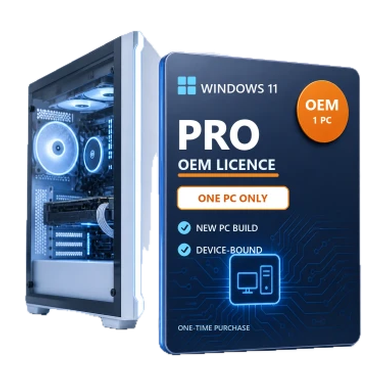
Microsoft Windows 11 Pro OEM License – 1 PC
Device-bound Windows 11 Pro licensing for a new system build.
 Retail
Microsoft · Windows
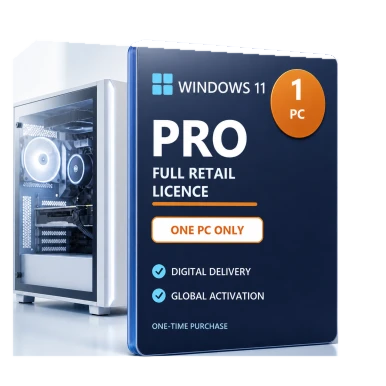
Microsoft Windows 11 Pro Retail License – 1 PC
A transferable retail license for one compatible PC at a time.
 Windows 10
Microsoft · Windows
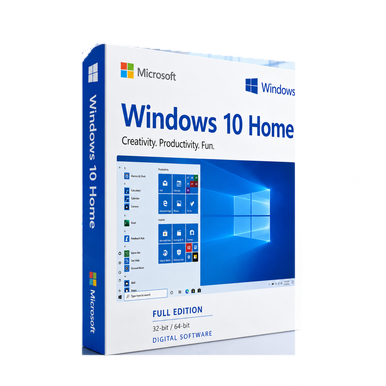
Microsoft Windows 10 Home – Full Edition for 32-bit & 64-bit PCs
Compare editions, license channels and device compatibility before purchase.
 Microsoft
 · Windows
Microsoft Windows 8.1 Home License – 32-bit or 64-bit
Compare editions, license channels and device compatibility before purchase.